ALERT 3.6 : How to export the list of the variable into a csv file
In the Alert version 3.6 it isn't possible to export in standard the variable list.
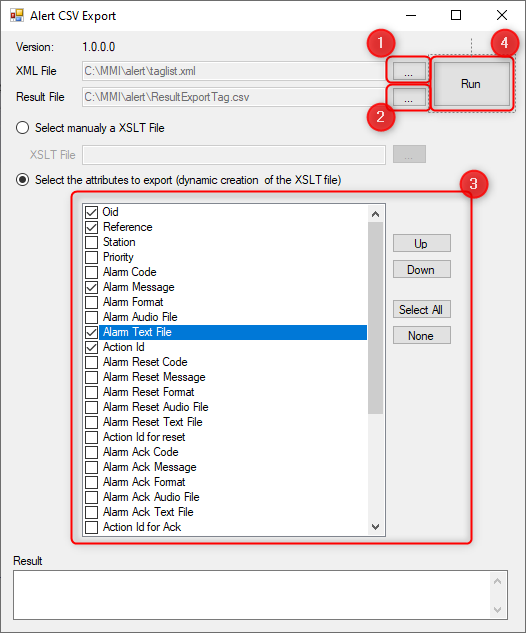
You need the use of the tools AlertCSVExport.exe (in c:\mmi\utilities) and follow these steps :
1. Select the xml file where your data is stored. In case of the variable, it is the file taglist.xml (in c:\mmi\alert by default). 2. Create in a directory the result file that will contain the result of your export. Sample : ResultExportTag.csv in c:\mmi\alert Then you need to select this file 3. Select in the list the attributes that you want export. 4. Click on the button Run to do the export. |
|