Alert: How to modify multiple tags simultaneously
Procedure for modifying a property on several variables simultaneously
In the tags list , right-click on the top row and click on "More..." to choose the property to modify and add the column to the list
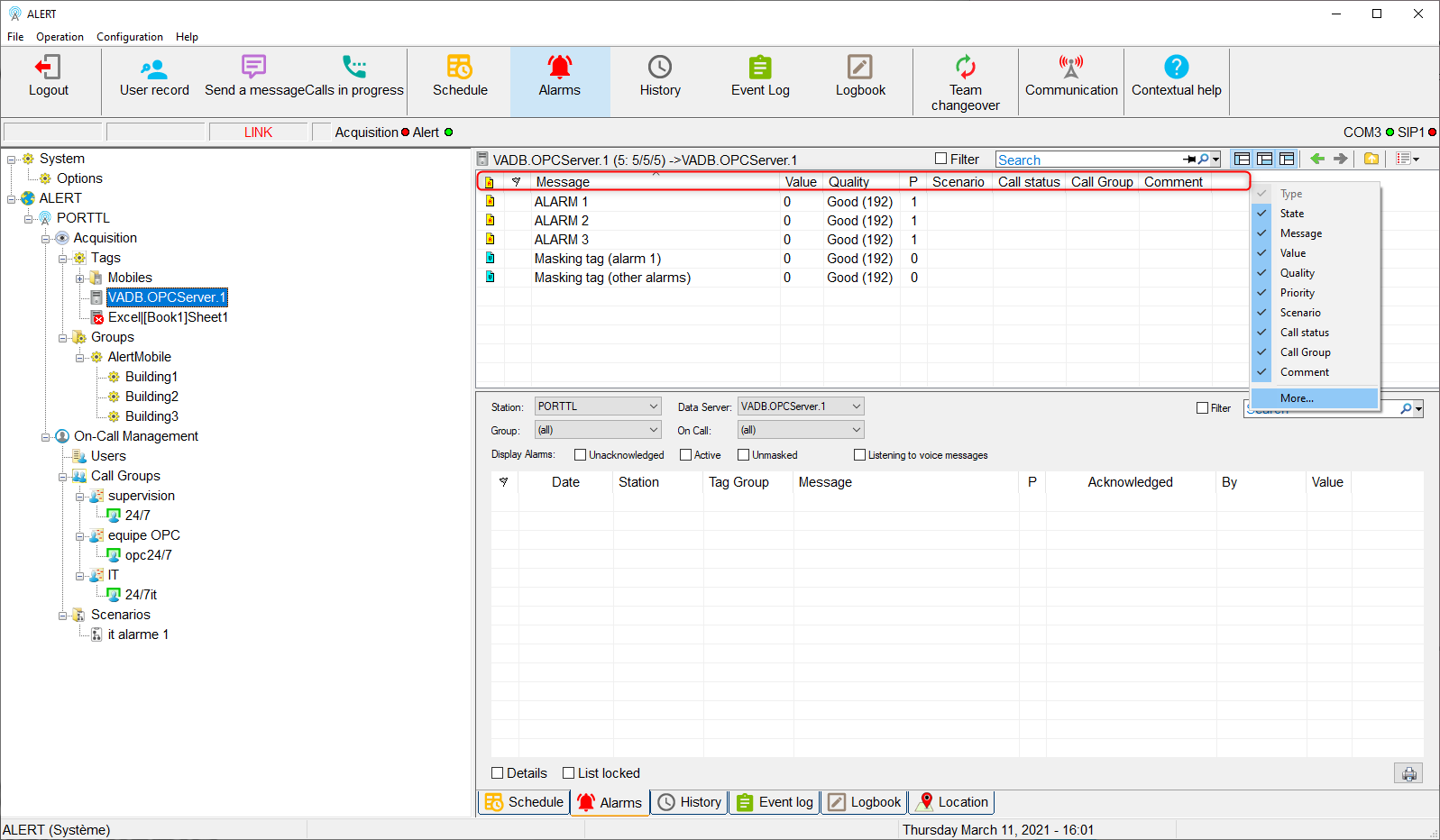
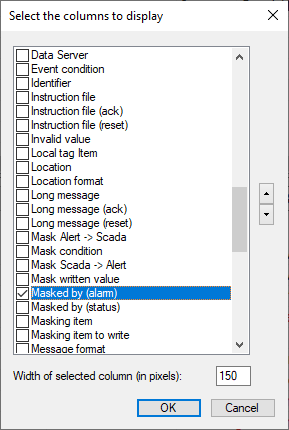
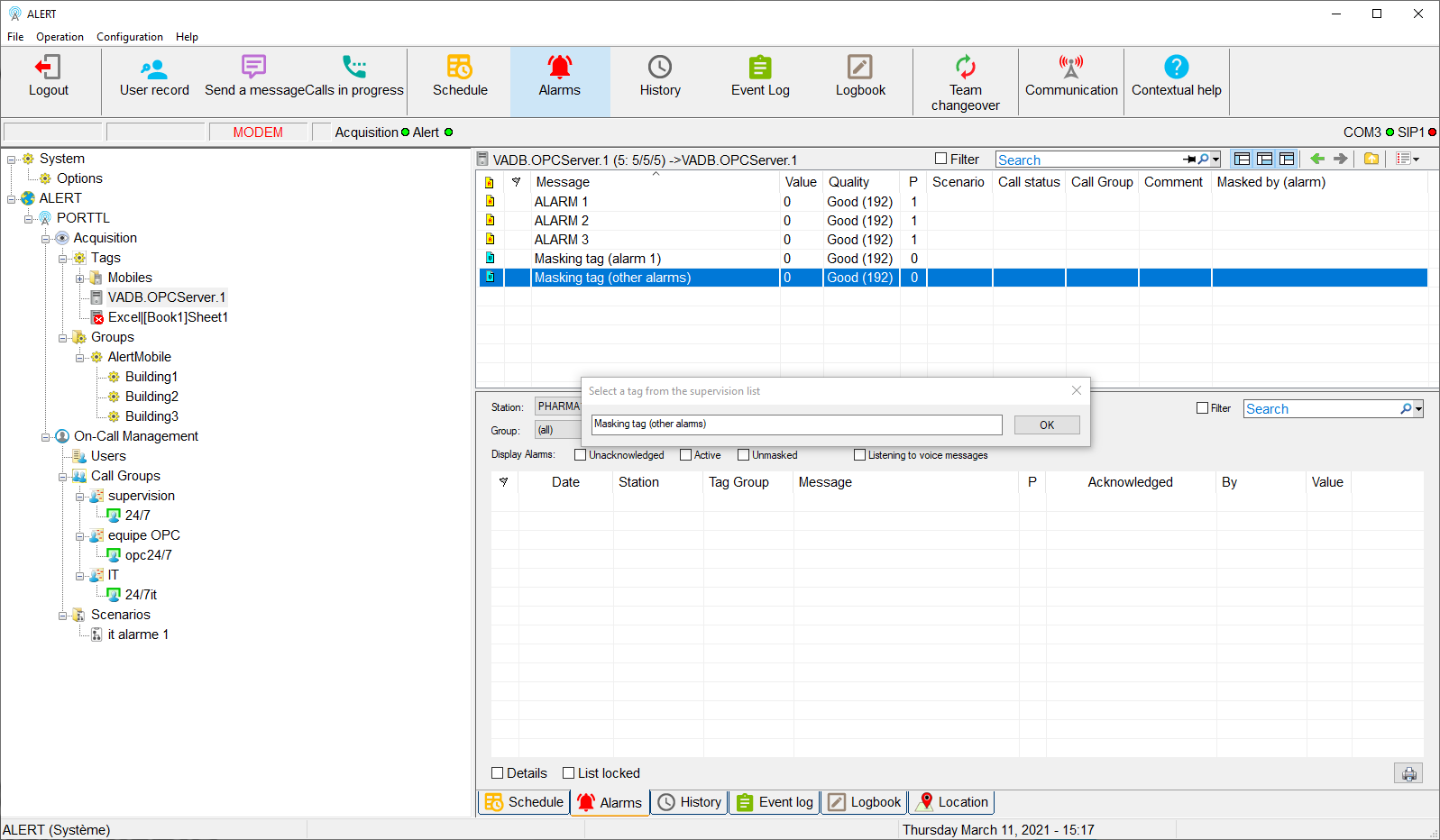
In this example, we want to mask one set of tags by another, to do so we select "Masked by (alarm)"
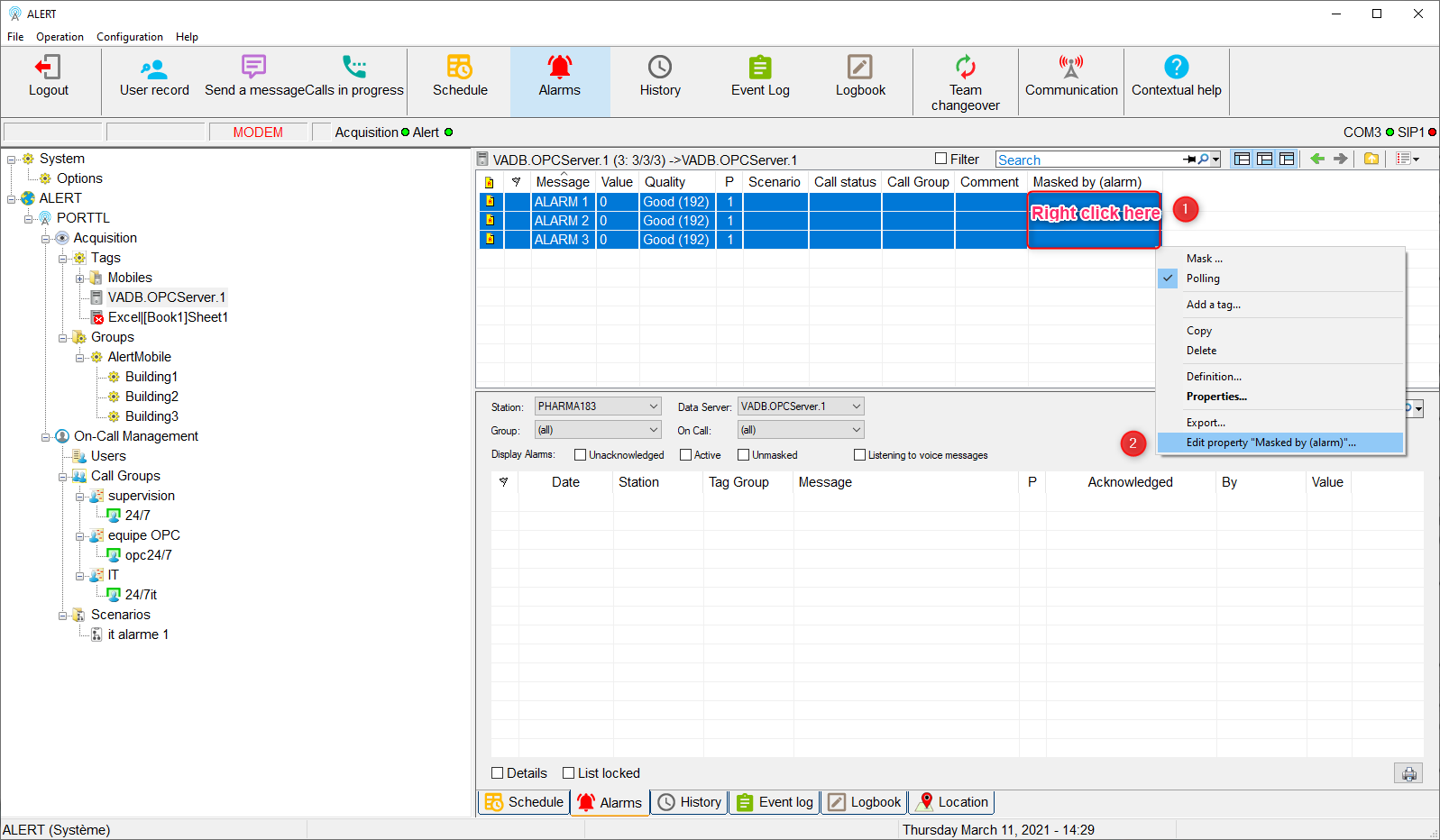
Now you need to select tags to modify and right-click on it, then choose "Edit property".
Be careful, you must do the right click on the new column, usually it appears at the end of the list, you may have to move the scroll bar to find it (or adjust their width to see them all)
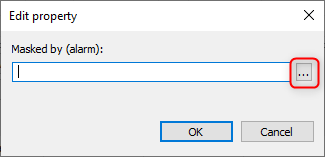
In our case, we need to select a variable from the supervision list

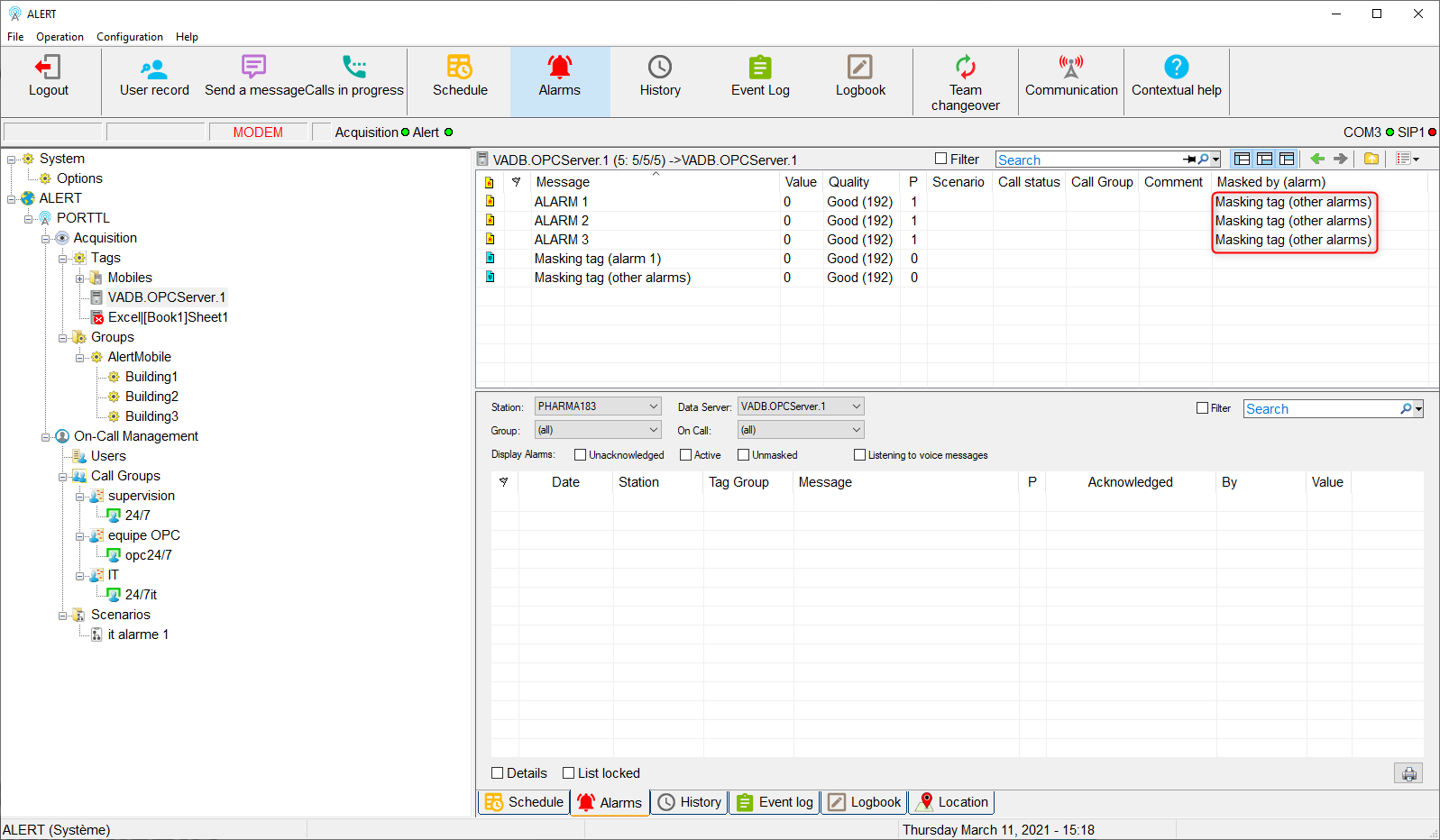
Par conséquent, la balise de masquage a été modifiée simultanément sur toutes les balises sélectionnées.
Therefore, the masking tag was modified simultaneously on all the selected tags.
N.B : Attention, certaines propriétés ne sont pas compatibles avec cette procédure.
Exemple : groupe d'astreinte