AlertMobile Howto: WIFI Driver
Note: AlertMobileWIFI driver only works with Android phones.
Configuration
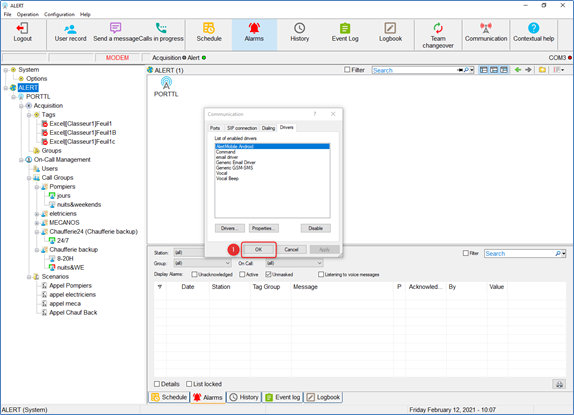
Allez dans Configuration -> Communication -> Driver tab
Si AlertMobile WIFI n'est pas dans la liste, cliquez sur le bouton "Drivers..."
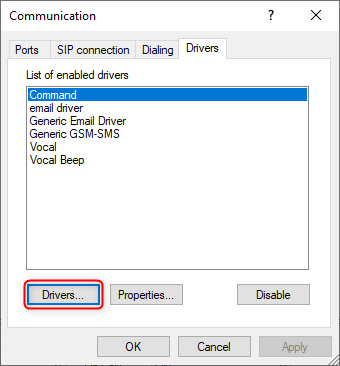
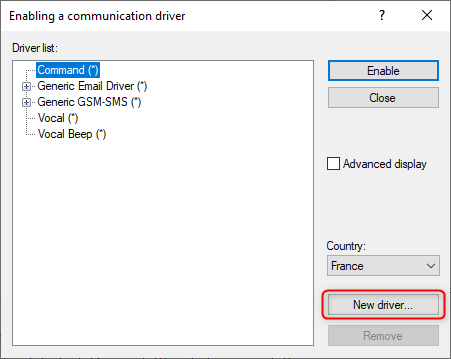
S'il n'est pas dans la liste, Ajoutez le en cliquant sur "Nouveau driver..."
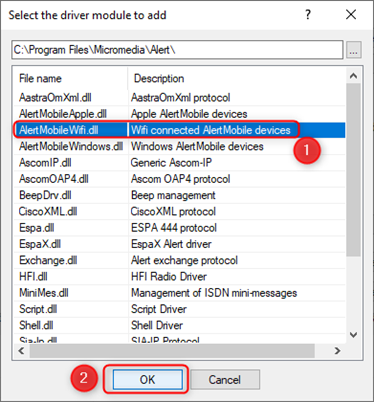
Sélectionnez "AlertMobileWIFI.dll" et cliquez sur "OK".
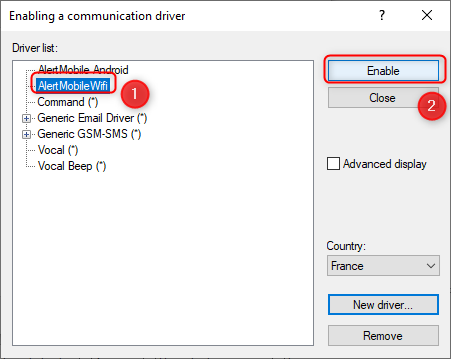
Vous pouvez alors Sélectionner AlertMobile Wifi depuis la liste et cliquer sur "Activer".
Cliquez alors sur "OK" pour enregistrer.
Pour les version 3.6, veuillez noter que si AlertMobile Wifi n'apparaît pas dans la liste, cela peut signifier qu'il n'a pas été installé. Vous devez alors l'ajouter depuis le programme d'installation d'ALERT.