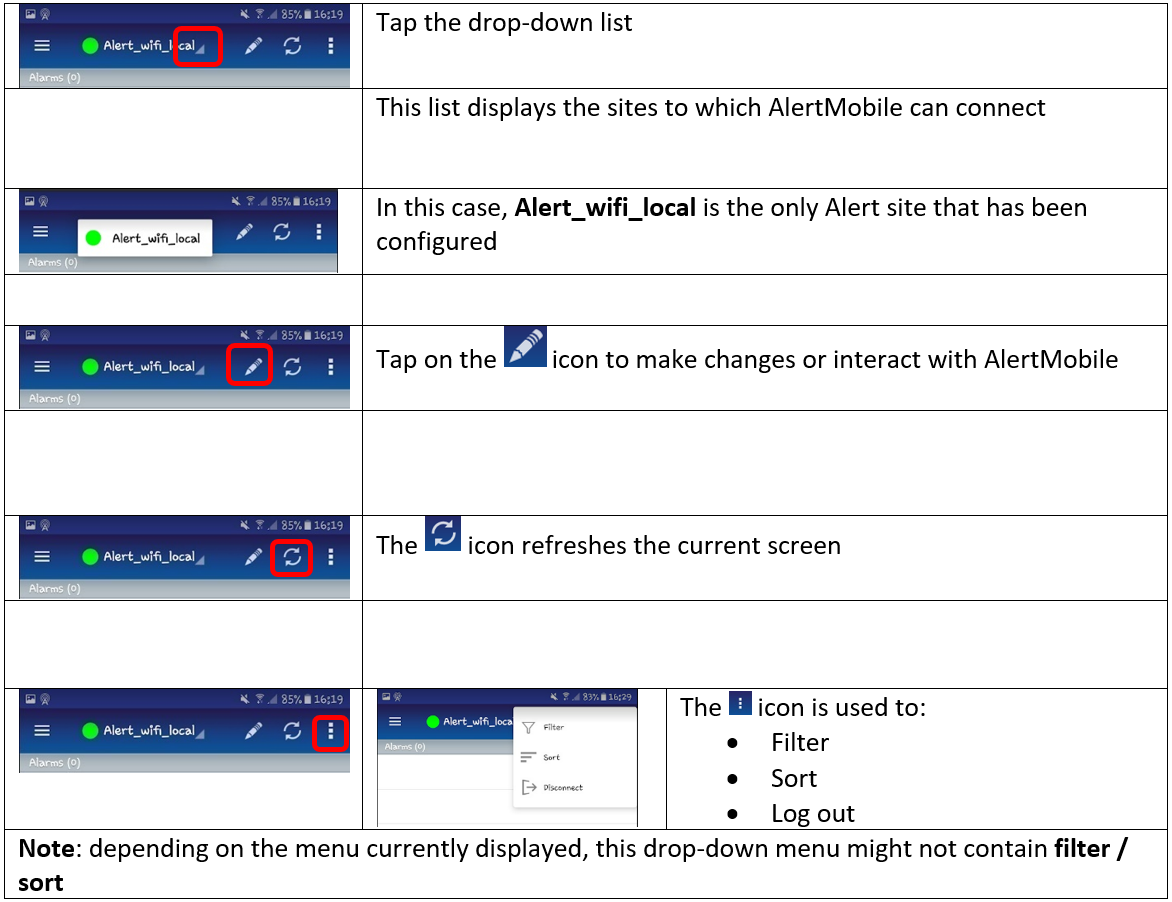
AlertMobile Howto: Navigating through the app
Tap menu to open the menu. This button provides access to the app's main menu and is available in all the level 1 tabs.
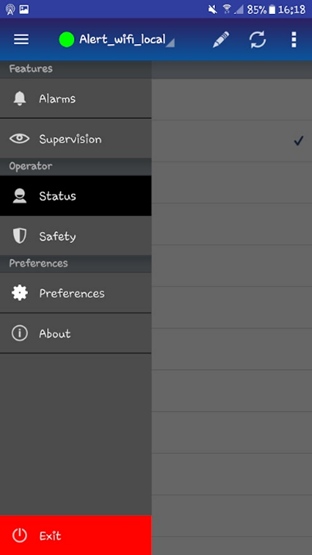
- Alarms: Acknowledge, disable and mask alarms
- Supervision: View the data configured in Alert and which can be seen in AlertMobile
- Status: Toggle a user's status between available / off-duty
- Safety: Use the smartphone as a lone worker protection device
- Preferences: Configure the behavior of the AlertMobile app as required
- About: See information about the AlertMobile version installed
Here are the AlertMobile functions:
Exploration, publishing, exploitation