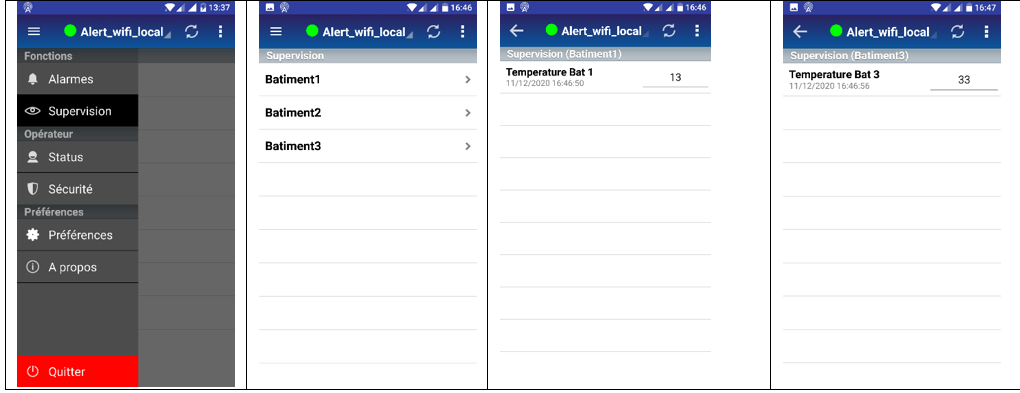
AlertMobile Howto: Supervision tab
Defining the root folder in ALERT
This tab allows you to view the Alert variable values. Only the groups and variables beneath the root folder defined in Alert can be viewed in AlertMobile.
Use the screenshots below to access the drop-down list for selecting the "Root" tag group for AlertMobile and choose the required group.
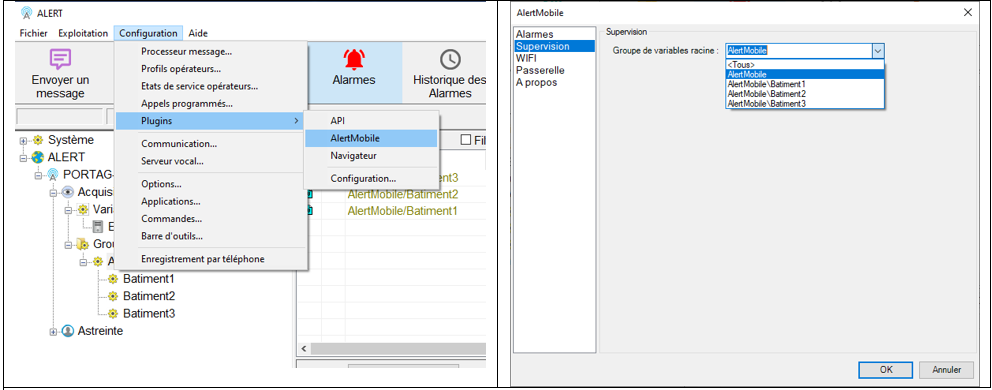
Supervision display
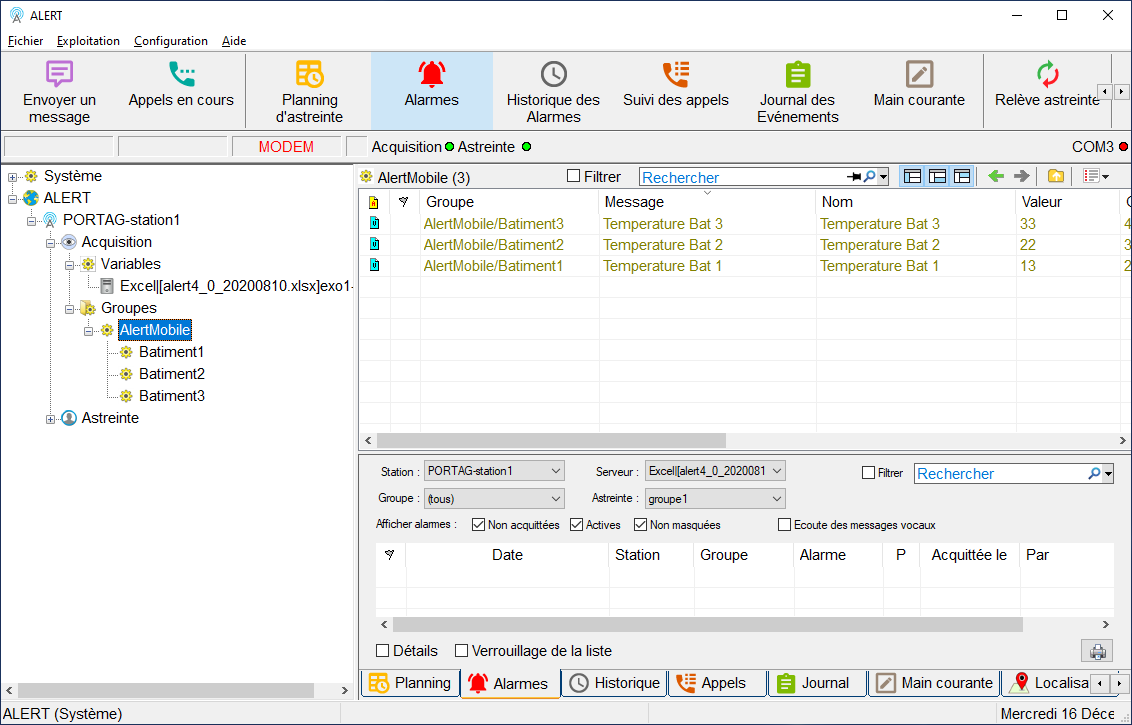
In ALERT, the following window displays the values in the Value column
App display