AlertMobile Howto: AlertMobileGateway Windows service
Stop / start up
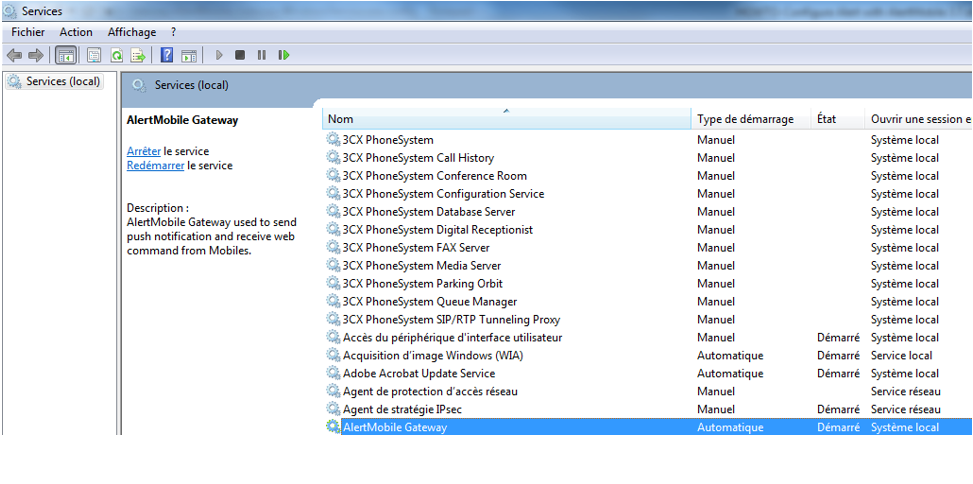
After installing AlertMobile Gateway, a separate Windows service is created (refer to the screenshot below). As with all Windows background services, this service can be started and stopped.
Customizing the Windows service
If you wish to change certain AlertMobile Gateway settings (there is no configuration GUI), you must stop the service and open the "https://alertmobile.gateway.windowsservice.exe.config%22/ file.
The port numbers can be modified in the userSettings section:
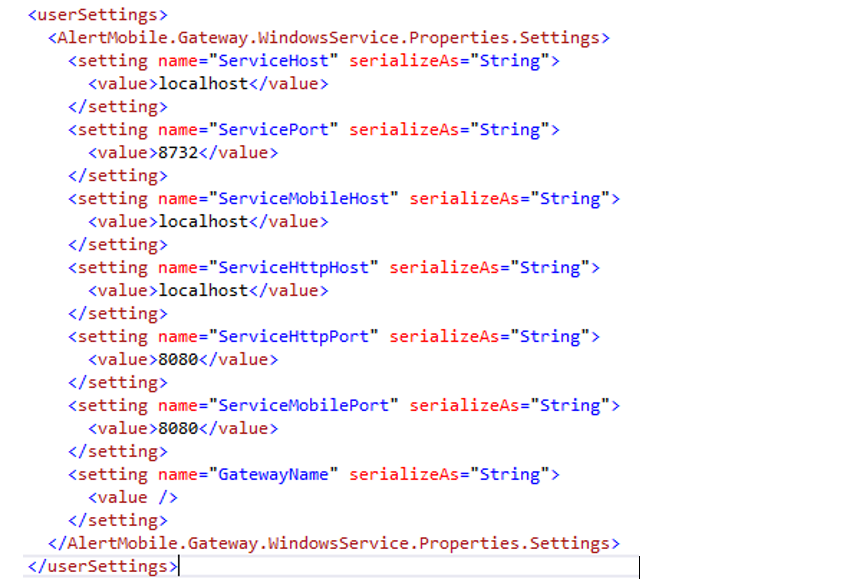
Once the file has been modified, restart the AlertMobile Gateway service to apply the changes.
Nota :
AlertMobile Gateway is an application accessible from outside your infrastructure, and must be configured in coordination with your IT department. It can be installed on a computer separate from the one hosting the Alert server, in a so-called "DMZ" zone. In this case, the configuration parameters will be determined in accordance with your security strategy.