AlertMobile Howto : Onglet Préférences
Présentation
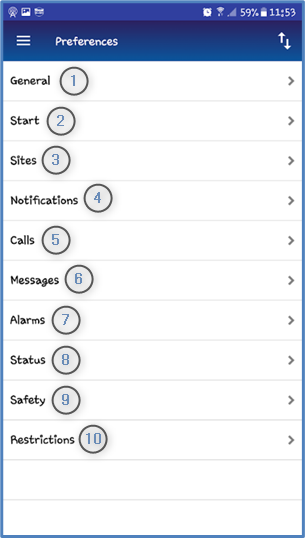
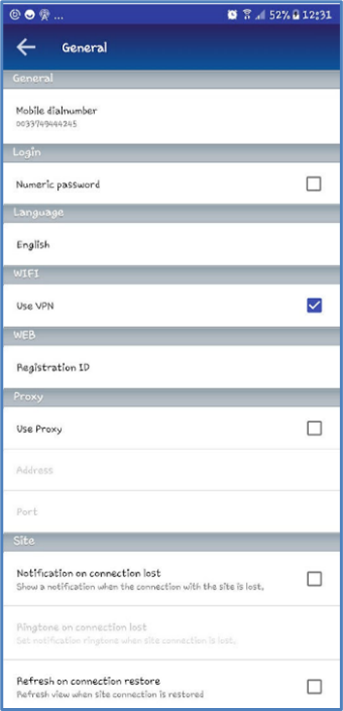
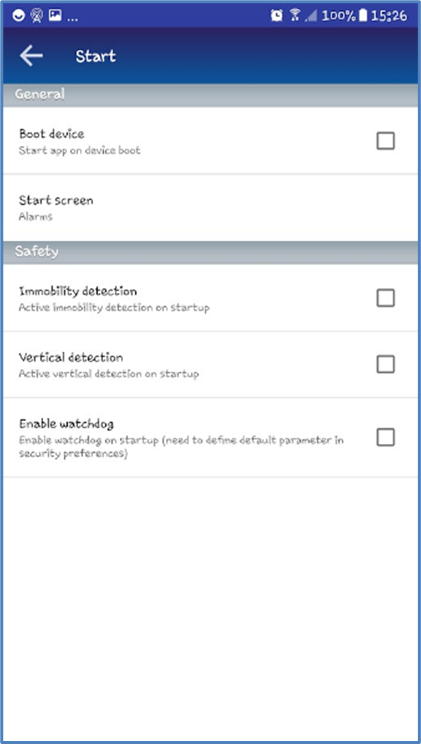
L’onglet préférence permet de personnaliser ou configurer certains aspects du fonctionnement de votre application AlertMobile. Dans cette personnalisation est comprise la mise en œuvre éventuelle de Restrictions, objet du chapitre suivant.
 |
|
 Exportation / importation.
Général | Démarrage |
 |  |
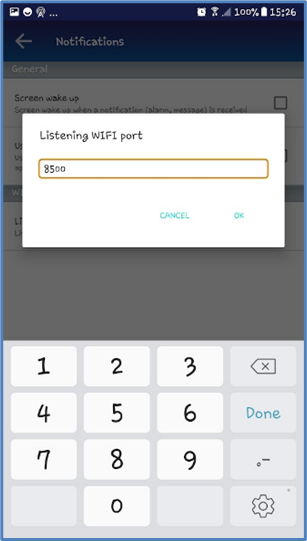
Notifications | |
 |  |
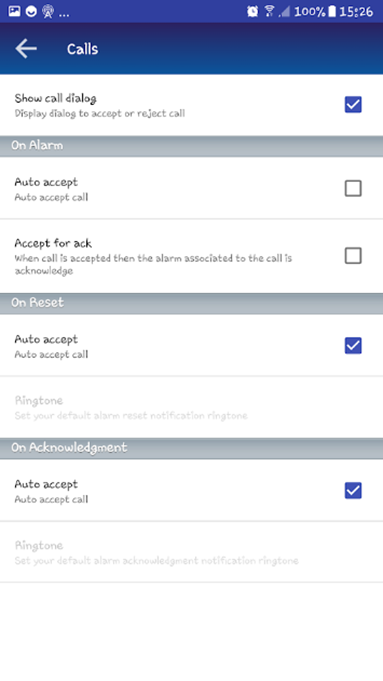
Appels | Alarmes* |
 | 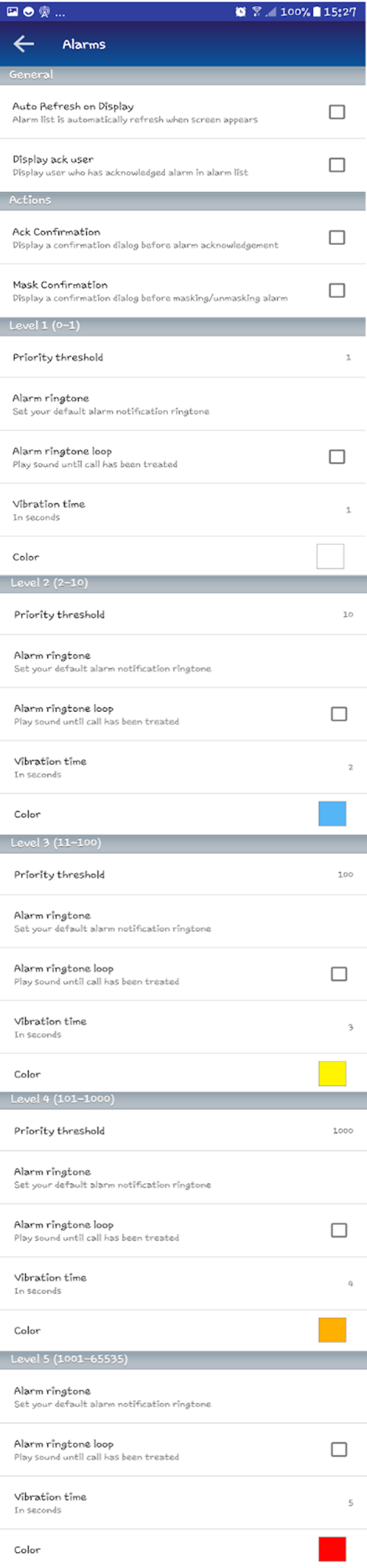 |
* ALERT assigne un numéro de priorité aux alarmes. Des couleurs sont disponibles dans AlertMobile pour chaque niveau de priorité des alarmes et peuvent être modifiées.
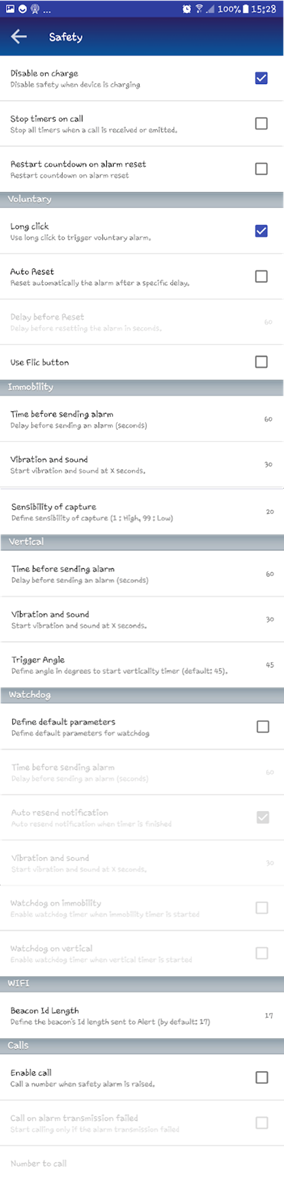
Sécurité |
 |
Disponibilité sonnerie en boucle et sonnerie d'alarme
|
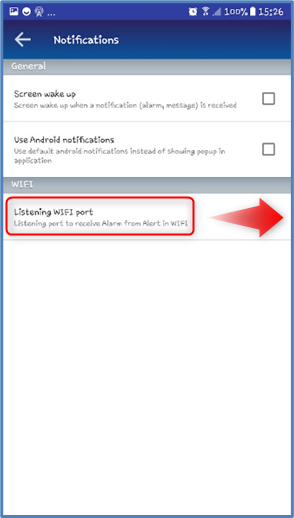
Dans Préférences -> Notifications
Utiliser notifications Android |
Dans Preferences -> Appels
Afficher fenêtre Appel |
Dans Préférences -> Alarmes
Sonnerie en boucle
|
Dans Préférences -> Alarmes
Sonnerie d'alarme |
|
❌ |
❌ |
❌ |
✅
|
|
❌ |
✅
|
✅
|
✅
|
|
✅
|
❌ |
✅ |
❌ |