ALERT 4.0 : Removed error - AlertApi: Invalid ACL (http://+:8080/AlertWS/)
AlertApi : ACL invalide (http://+:8080/AlertWS/) Error display into ALERT 4.0 log when the port 8080 is already used.
The modification of the ALERT Webservice listening port is necessary.
1. Changing the ALERT Webservice listening port:
Close ALERT 4.0 or stop the ALERT 4.0 service.
In a Windows Explorer, navigate to the location "C:\Program Files\Micromedia\AlertWebService" for 64-bit versions or "C:\Program Files(x86)\Micromedia\AlertWebService" for 32-bit versions
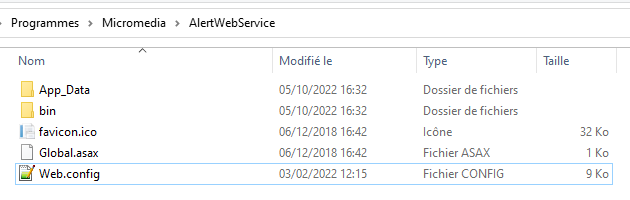
Edit the "Web.config" file and identify the entry below:
<setting name="Port" serializeAs="String">
<value>8080</value>
</setting>
Change the value "8080" to another port number, for example "8082".
<setting name="Port" serializeAs="String">
<value>8082</value>
</setting>
Save the file and restart ALERT 4.0.
2. Modification of the configuration of ALERT 4.0:
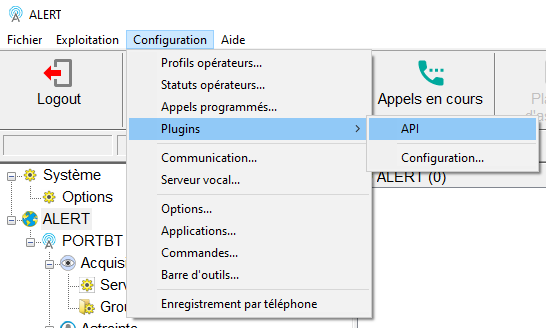
Click on "Configuration \ Plugins \ API".
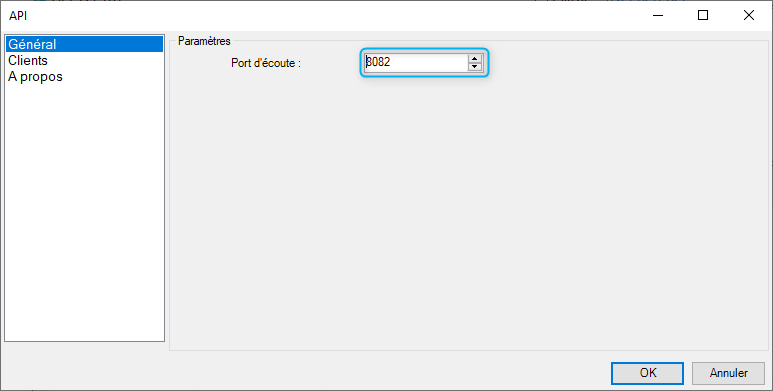
Change the listening port "8080" to the port number "8082" previously entered in "Web.config" file .