Alert: Service: Checking that the service is started
It is possible to check that the ALERT service is started correctly.
1. The icon
 is displayed on the right bottom near the hour.
2. You can connect with a client (ALERTCLIENT or web client). If you are able to log in, then the service is started correctly.
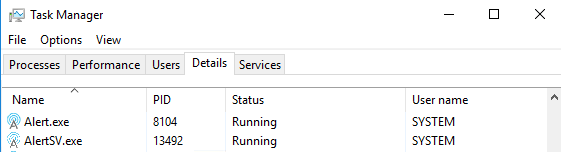
3. From the task manager, check that the process Alert.exe et AlertSV.exe are running: