AlertMobile Howto: Add Apple AlertMobile media to a user
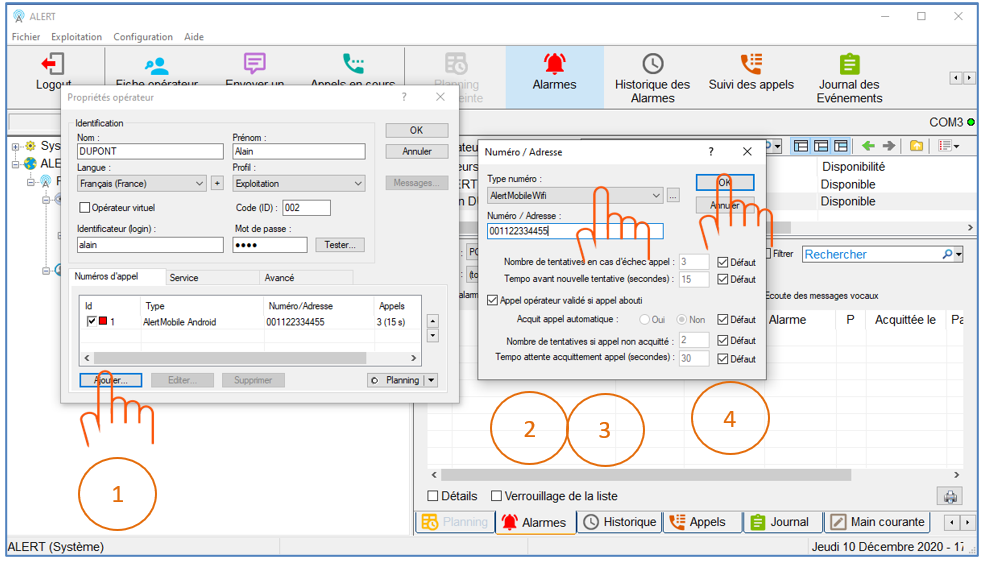
Double-click on an operator to open the Operator Properties window, then click on the Add... button at bottom left.
The Number / Address window opens:
- Select AlertMobile Apple in the Number type drop-down window
- Enter the phone number in the Number/Address field
- Click on the OK button, the Number/Address window closes and the data is saved.
The AlertMobile Apple media type now appears in the list of call numbers
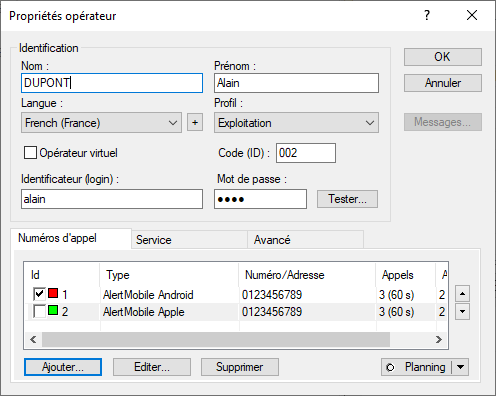
Please note: the added media is not activated by default. To do so, check the Id box (just before the green square in the screenshot above) and validate by clicking on the OK button in the top right-hand corner.