ALERT configuration
Before starting ALERT configuration, let's have a look on the default FX30 parameters. We can use those information during ALERT setup.
Default FX30 parameters
The "Applications config" tab of the SiwiUpdate tool displays all the device parameters. This screen can be used to modify the parameters.
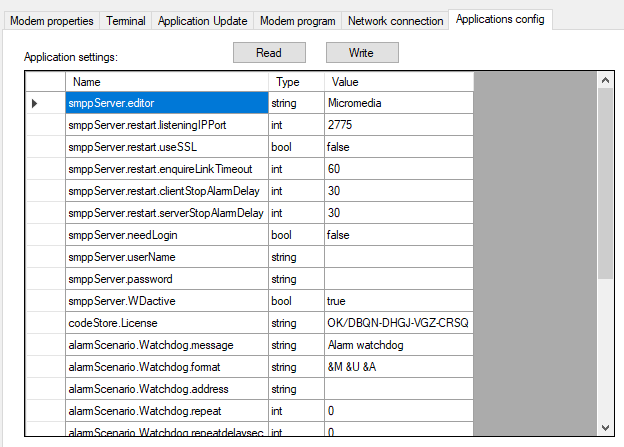
In our case we will keep the default values for configuring ALERT.
SMPP driver
To send SMS with the FX30, ALERT uses the SMPP protocol.
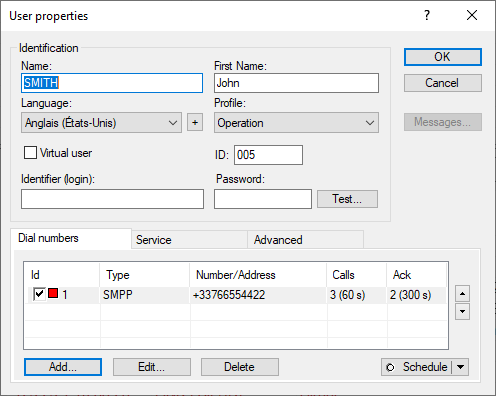
The users defined in ALERT need to use the SMPP driver. Let's configure it with the modem default parameters.
The only information to set will be entered in the SMPP driver "Connection" tab: enter the FX30 IP address and the IP port (2775 by default). See next screenshots.
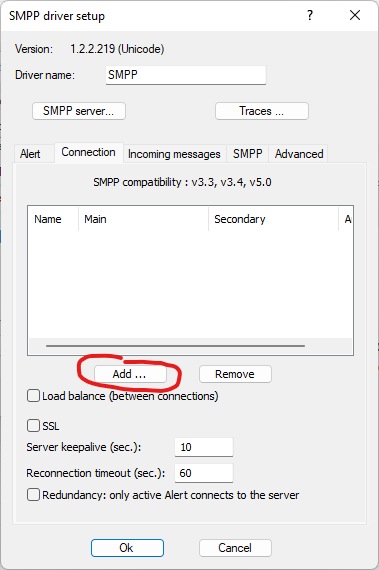
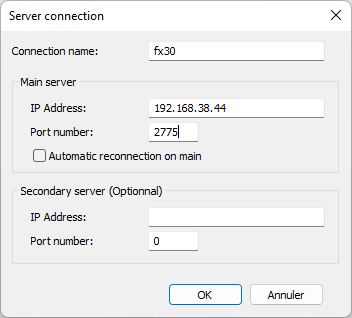
Once validated by pressing "OK" ALERT should connect to the FX30 SMPP server.
The ALERT users configured with the SMPP driver can then send SMS. Next picture shows the configuration.
SIP Configuration
To place voice calls though the FX30, ALERT uses the SIP protocol. We first need to create a SIP connection in ALERT. This can be done in the "Configuration/Communication..." menu. Then select the "SIP connection" tab.
Let's add a new connection:
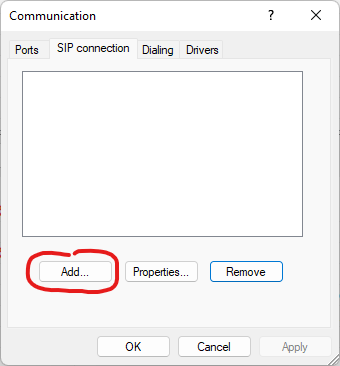
Next picture shows the SIP connection configuration box. All the parameters are the default parameters for the FX30 SIP server at 192.168.38.44.

Once the SIP connection is configured, a new SIP port must be added in the "Ports" tab of the communications configuration box.
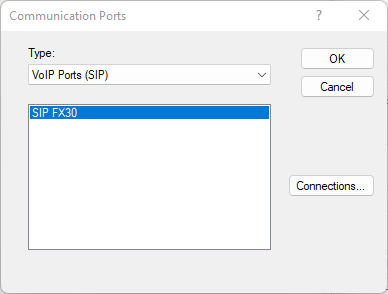
Next screenshot shows the ALERT SIP port configuration for a port using the SIP connection we've just defined. The ports accepts the incoming connections. This is done by adding "*" in the called number list.
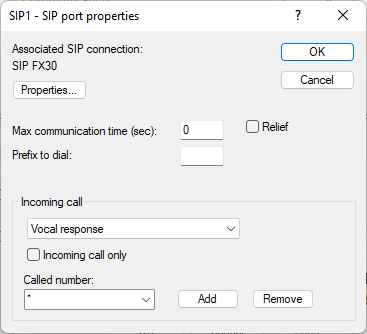
To complete the configuration, add an ALERT user with the "Vocal" driver as follows:
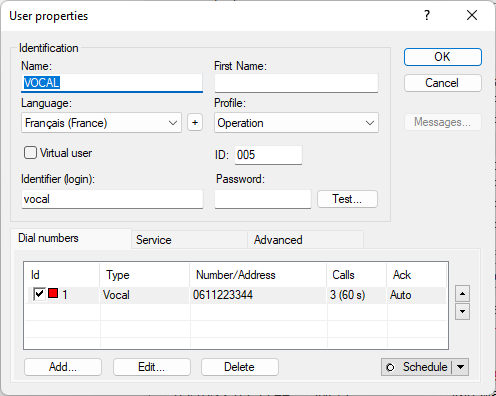
Example configuration SIP :
