Modem configuration: IP address and PIN code
The factory default IP address is: 192.168.13.31.
The SiwiUpdate tool(Download) will be used to set a new IP address and to enter the PIN code.
Set IP address
Start the SiwiUpdate tool on a machine which can connect to the FX30 though IP link on the default IP address (192.168.13.31).
Once started, connect the tool to the modem. The connection is an IP connection using SSH. Enter the requested parameters in the "Legato SSH" group. (See capture below. FYW: Legato is the Sierra Wireless framework name used for embedded application)s.
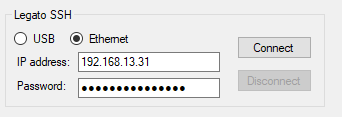
The password is the modem IMEI.
Once connected, the "Modem properties" tab shows all the modem information.
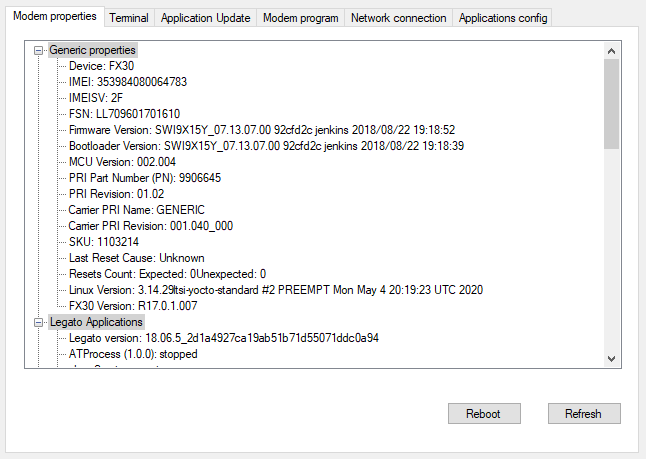
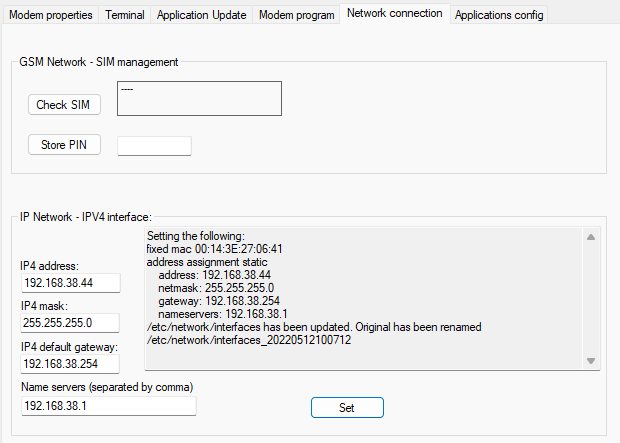
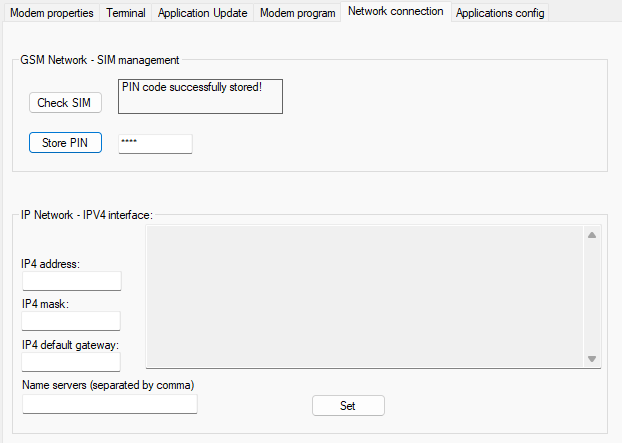
The IP address can be set in the "Network connection" tab.
Enter the new IP address and the network mask. Then press "Set".
The next picture illustrates a successful address change to "192.168.38.44".
After this change, the device should be restarted. The tool displays this warning dialog box:
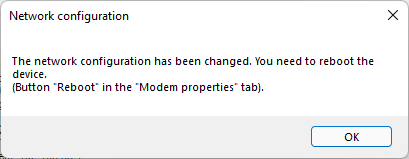
A "Reboot" button can be found on the "Modem properties" screen.
Store the PIN code
This action can be done in the "Network connection" tab. The PIN code is stored in the modem memory and will be automatically applied on each modem start.
The following screenshot shows a successful PIN code setup. In case of failure, the error would have been displayed (A wrong PIN code for example).
Once all those configurations done, you can setup ALERT for using the FX30.