SNMPTrap driver: Installation
The SNMPTrap driver must be installed on the machine. To do this, select it in the list of components as shown below:
During the installation of Micromedia Solution*, expand Alert by clicking on the "+", then expand
Communicaton drivers and tick SNMPTrap
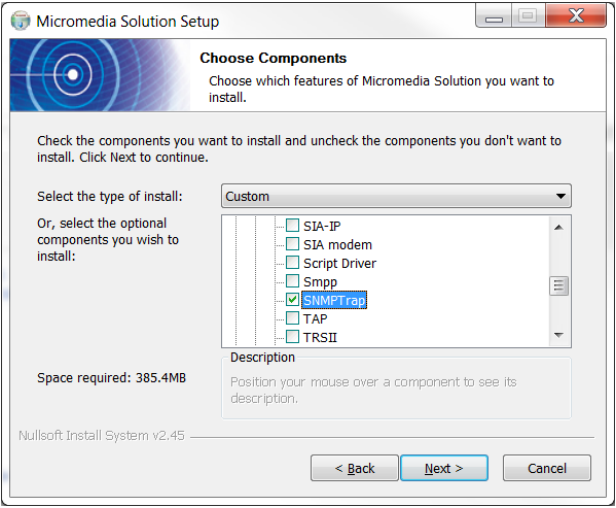
Once done, user will be able to use the SNMPTrap driver.
*You will have to go through the complete install procedure of ALERT even though you only have SNMPTrap driver to install, this isn't an issue because all your settings will remain.
ALERT : Installation