Redundancy: setup to supervise the redundant stations
3 tags can be defined on each ALERT station to supervise the redundant station:
Alarm RedundancyFail
This tag lets you know if the redundancy is working properly between the two stations.
OPC Reference
- Server = ALERT
- Group = Alarm
- Item = RedundancyFail
Possible values
- 0 -> redundancy OK
- 1 -> link or COM error on the redundant station
- 2 -> Link error with the redundant station (loss of redundant station)
Alarm RemotePortFail
This tag lets you know whether the modems on the redundant station work properly.
OPC Reference
- Server = ALERT
- Group = Alarm
- Item = RemotePortFail
Possible values
- 0 -> All ports are OK
- 1 -> At least one port is failing
- 2 -> All ports are failing
Alarm RemoteLinkFail
This tag provides information on the status of the link between ALERT and the supervisor on the redundant station.
OPC Reference
- Server = ALERT
- Group = Alarm
- Item = RemoteLinkFail
Possible values
- 0 -> Link OK
- 1 -> Link failure
Setup
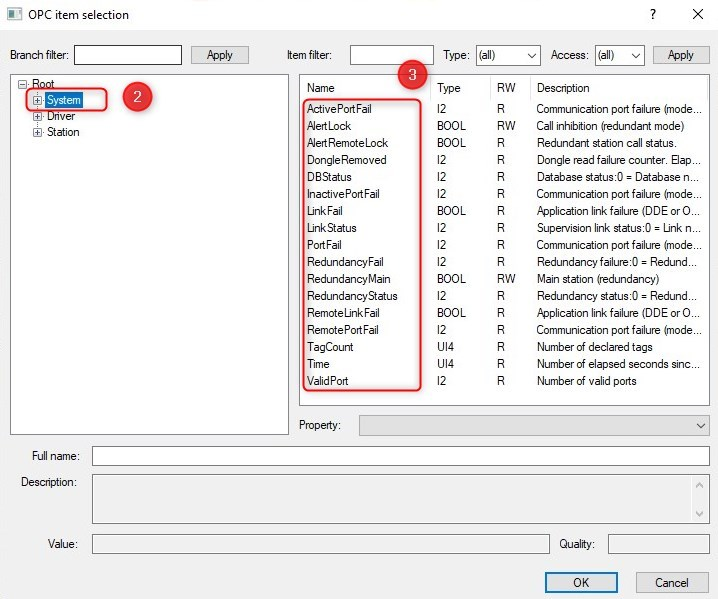
Add a new data server (Generic OPC) and in source... choose Alert.OPCServer.1
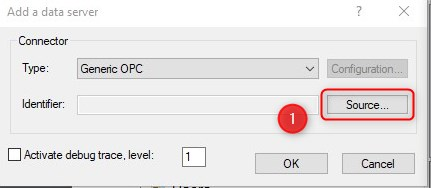
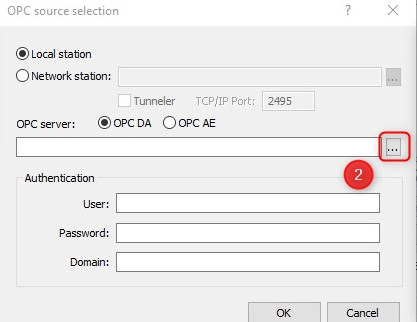
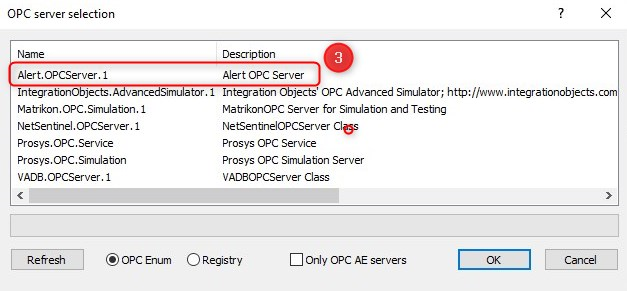
- Then add a tag
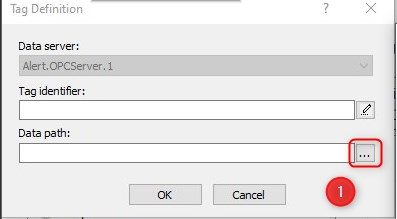
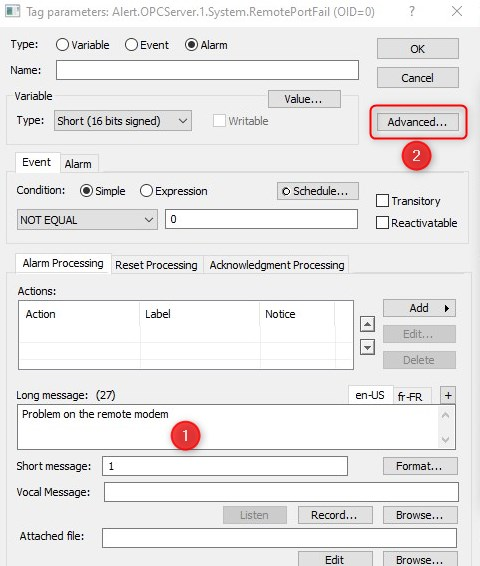
In tag parameters: put a long message then clic on Advanced...
And check the box Local Item (Not redundant)
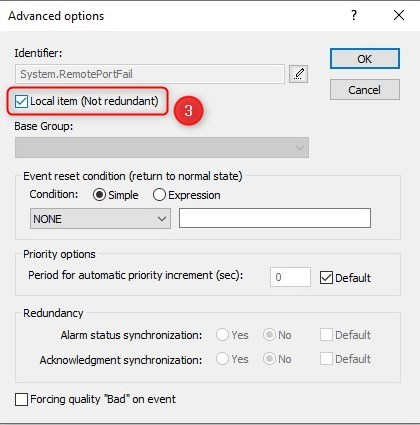
all self-monitoring variables must be configured as follows
 | all self-monitoring variables must be configured thereby | |