SMPP Driver: Installation
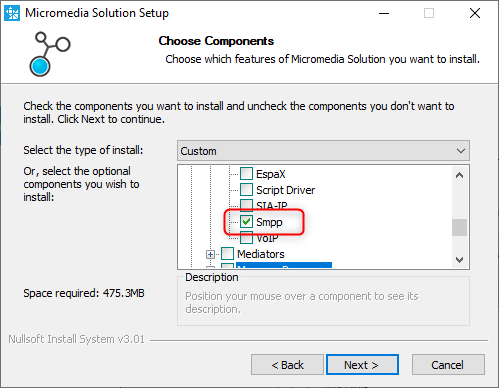
During the ALERT installation process, please select the SMPP driver from the list below.
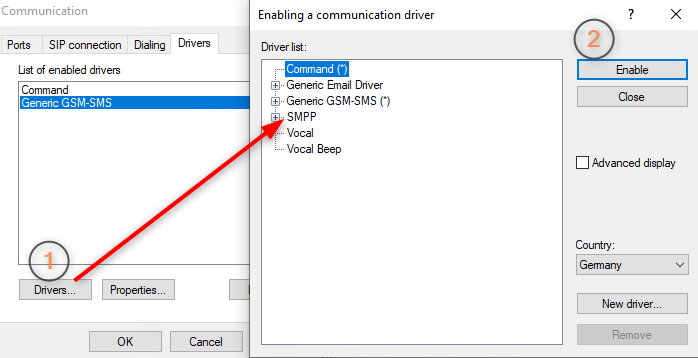
After the successful installation add the driver (1) and enable it (2)
(ALERT -> Configuration -> Communication -> select tab Drivers)
Remark : if the driver isn't available, please add it by pressing the Button "New driver..." and select the SmppDrv.dll.
|
⚠️
| In versions of Alert prior to 4.1 there is an AlertMobile SMPP sub-driver, you should not select it but take SMPP.
|
⚠️
|

